About The Author: Travis Baugh is a Digital Brand Marketing Manager for Bryant, where he creates clear, helpful content to guide homeowners through heating, cooling, and indoor air quality decisions. His goal is to empower readers with the knowledge they need to choose the right comfort solutions for their home—confidently and comfortably.
Step-by-Step Thermostat Installation Process
Upgrading your home’s climate control system starts with a proper thermostat installation. A modern, smartly installed thermostat empowers you to optimize your building for energy efficiency while keeping the people inside comfortable and safe.
Whether you are aiming to reduce energy costs or take absolute control of your home health, understanding the step-by-step thermostat installation process is your first move toward a smarter, more sustainable living space.
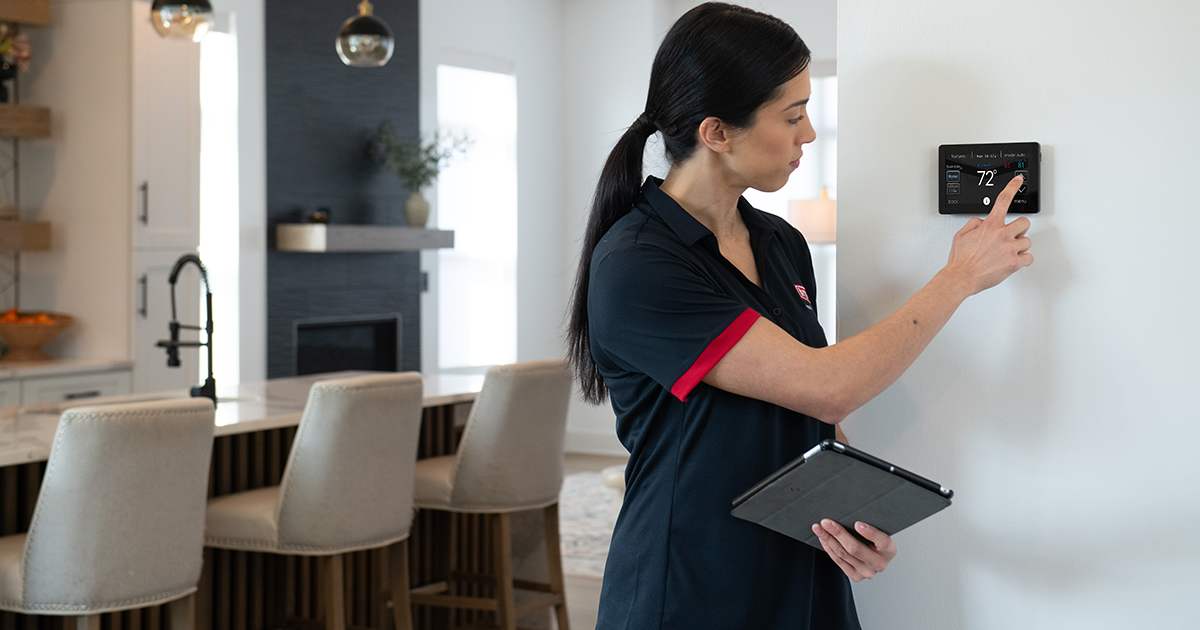
How to Install a Thermostat
Installing a thermostat involves turning off your HVAC power, removing the old unit, wiring the new baseplate, and attaching the new interface. While specific steps vary by model, this foundational process ensures a secure and functional setup.
Taking control of your home's comfort requires precision. If you are confident in your DIY skills and your system's compatibility, here is the standard, step-by-step process to install a modern thermostat:
- Turn Off the Power: Safety is the absolute priority. Always turn off the power to your HVAC system at the breaker box before touching any wires. Verify the power is off using a voltage tester.
- Remove the Old Faceplate: Gently detach the existing thermostat faceplate from the wall. You will expose the wiring connected to the backplate.
- Label the Wires: Before disconnecting anything, take a clear picture of the current wiring. Use masking tape or the labels provided with your new thermostat to mark each wire according to the terminal it is connected to (e.g., R, W, Y, G, C).
- Disconnect Wires and Remove the Old Base: Carefully unscrew the wires from their terminals. Ensure the wires do not fall back into the wall cavity by wrapping them around a pencil. Remove the old baseplate from the wall.
- Install the New Baseplate: Position the new baseplate against the wall, using a level to ensure it is straight. Mark the mounting holes, drill them, and secure the baseplate using wall anchors and screws.
- Connect the Wires: Thread the labeled wires through the new baseplate. Match each labeled wire to the corresponding terminal on the new thermostat. Tighten the screws securely to ensure a strong connection.
- Attach the New Faceplate: Snap the new thermostat faceplate onto the base. Ensure it clicks securely into place.
- Restore Power and Configure: Turn the power back on at the breaker box. Follow the on-screen prompts or the manufacturer's mobile app to connect to Wi-Fi, set your preferences, and optimize your home's energy efficiency.
What Factors Should I Consider Before Installing a Thermostat?
Before installing a thermostat, you must consider HVAC system compatibility, the presence of a C-wire (common wire) for power, your home's Wi-Fi capabilities, and your daily scheduling needs. Assessing these factors ensures you choose a solution designed around the needs of your household.
To make an informed, forward-thinking decision, evaluate the following elements:
- System Compatibility: Not all thermostats work with all HVAC systems. Check whether you have a standard central air system, a heat pump, or a multi-stage system. High-voltage systems (like baseboard heaters) require specific line-voltage thermostats. Learn more about heat pump thermostats, furnace thermostats, boiler thermostats, and AC thermostats to ensure compatibility with your system.
- The C-Wire Requirement: Most modern smart thermostats require a continuous power source provided by a C-wire. If your current setup lacks a C-wire, you may need an adapter kit or the assistance of a professional to run a new wire from your furnace.
- Smart Features vs. Programmability: Decide if you need a basic programmable unit or an intelligent, Wi-Fi-enabled smart thermostat. Smart thermostats offer remote access, energy reports, and learning capabilities that automatically adjust to your lifestyle.
- Aesthetics and Interface: Your thermostat is a visible part of your home. Consider the screen size, touch capabilities, and overall design to ensure it integrates seamlessly with your interior spaces.
- Zoning Capabilities: If your home utilizes a zoned HVAC system, ensure your new thermostat is capable of managing multiple zones for optimized temperature control across different areas of the house.
Scotty Peters, owner of CK Heating and Cooling in Seminole, Texas, explains what homeowners should consider when choosing a thermostat, especially as digital and smart options become more common.
“Going to a digital thermostat is easier now than ever before,” Peters said. “There are a lot of options available, including programs through some energy companies that may offer free or discounted smart thermostats. Many of these programs come with demand-response features, where the energy provider can slightly adjust settings during peak usage periods, but homeowners still maintain control over their preferred temperature settings.”
Peters notes that understanding how these programs work is important before enrolling.
“There are some misconceptions about how much control is actually shared,” he said. “While these thermostats can add convenience and improve energy efficiency, some homeowners prefer not to participate in programs that allow any external adjustments to their home’s temperature, even if they can override those changes at any time.”
Cost of Thermostat Installation
The total cost of thermostat installation typically ranges from $150 to $400, depending on the price of the unit and whether you hire a professional. Smart thermostats generally cost between $100 and $250, while professional labor adds $100 to $200.
Understanding the financial investment helps you plan for this essential home upgrade. The costs break down into two main categories:
- Equipment Costs: The price of the thermostat itself dictates a large portion of the budget. Basic, non-programmable thermostats can cost as little as $20 to $50. However, visionary homeowners looking to maximize energy efficiency often invest in smart thermostats, which range from $130 to over $250 for premium models with advanced sensors and learning algorithms.
- Labor and Installation Costs: If you choose to hire a certified technician, expect to pay between $100 and $200 for labor. This cost can increase if your home requires new wiring, such as the installation of a C-wire, or if drywall repairs are necessary. While DIY installation saves on labor, investing in professional help guarantees the system is integrated flawlessly, protecting your equipment and ensuring peak performance.
Ensure Proper Installation with Professional Help
Hiring a certified HVAC professional for your thermostat installation guarantees that complex wiring is handled safely, system compatibility is verified, and advanced smart features are fully optimized. A professional setup protects your HVAC warranty and ensures reliable, energy-efficient performance.
While installing a thermostat can be a DIY project for some, partnering with a trusted expert offers distinct advantages. Our innovative solutions are centered on our customers’ needs, and a professional installation ensures you receive the maximum benefit from your new device.
Professionals have the expertise to navigate hidden complications, such as outdated wiring or incompatible control boards. They can safely run new C-wires without damaging your walls and properly calibrate the thermostat to communicate seamlessly with your specific heating and cooling equipment. Furthermore, many premium thermostats offer extended warranties only when installed by a certified contractor. By choosing professional installation, you invest in peace of mind, knowing your home health and comfort are in expert hands.

Why Choose To Install a Bryant Thermostat?
Choosing a Bryant thermostat means investing in an innovative, reliable, and sustainable solution backed by a trusted industry leader. Bryant thermostats offer advanced energy management, intuitive interfaces, and seamless integration with high-performance HVAC systems.
At Bryant, we offer a comprehensive and constantly evolving product portfolio designed to keep people safe, comfortable, and in control. Bryant thermostats stand out in the 2026 market for several compelling reasons:
- Unmatched Reliability: Built on a proven history of excellence, Bryant thermostats are rigorously tested to ensure long-lasting durability and consistent performance.
- Intelligent Energy Savings: Bryant’s smart thermostats utilize advanced algorithms to learn your schedule and optimize heating and cooling cycles, significantly reducing your monthly energy footprint. Learn more about energy saving thermostats.
- Seamless System Integration: These thermostats are engineered to communicate flawlessly with Bryant HVAC equipment, unlocking advanced features like variable-speed fan control and precise humidity management.
- User-Centric Design: With crisp displays, intuitive mobile applications, and voice-control compatibility, Bryant puts total climate control effortlessly at your fingertips.
- Future-Ready Technology: As a focus on the future drives our innovation, Bryant thermostats receive over-the-air updates, ensuring your home remains equipped with the latest advancements in intelligent building technology.
Learn more about the thermostat replacement process, or reach out to your local Bryant dealer to schedule thermostat installation today.
Thermostat Installation FAQs
No, you only need to turn off the power to your HVAC system. This is typically done by switching off the specific breaker for your furnace and air conditioner at your main electrical panel.
A standard professional thermostat installation usually takes between 45 minutes to an hour. If new wiring or system modifications are required, the process may take up to two hours.
Without a C-wire to provide continuous power, a smart thermostat may drain its internal battery quickly, lose Wi-Fi connection, or short-cycle your HVAC system. You will need to use a C-wire adapter or have a professional run a new wire.
A common wire, often labeled as a C-wire, provides continuous 24-volt power to a thermostat. It is used to power smart thermostats and other advanced controls that require constant electricity, instead of relying on batteries or drawing intermittent power from other thermostat wires.


