About The Author: Travis Baugh is a Digital Brand Marketing Manager for Bryant, where he creates clear, helpful content to guide homeowners through heating, cooling, and indoor air quality decisions. His goal is to empower readers with the knowledge they need to choose the right comfort solutions for their home—confidently and comfortably.
AC Not Turning On? Causes, Fixes & Troubleshooting Guide
By Travis Baugh
When your AC is not turning on, the most common culprits are an unresponsive thermostat, a tripped circuit breaker, a clogged air filter, or a triggered condensate float switch. Checking these basic components can often restore your cooling system without the need for a professional service call.
When your system unexpectedly stops working, it disrupts your peace of mind. This comprehensive guide will walk you through the most effective troubleshooting steps to get your air conditioner running safely and efficiently. We will also explore when it makes sense to invest in advanced HVAC technology to ensure long-term comfort and energy savings.
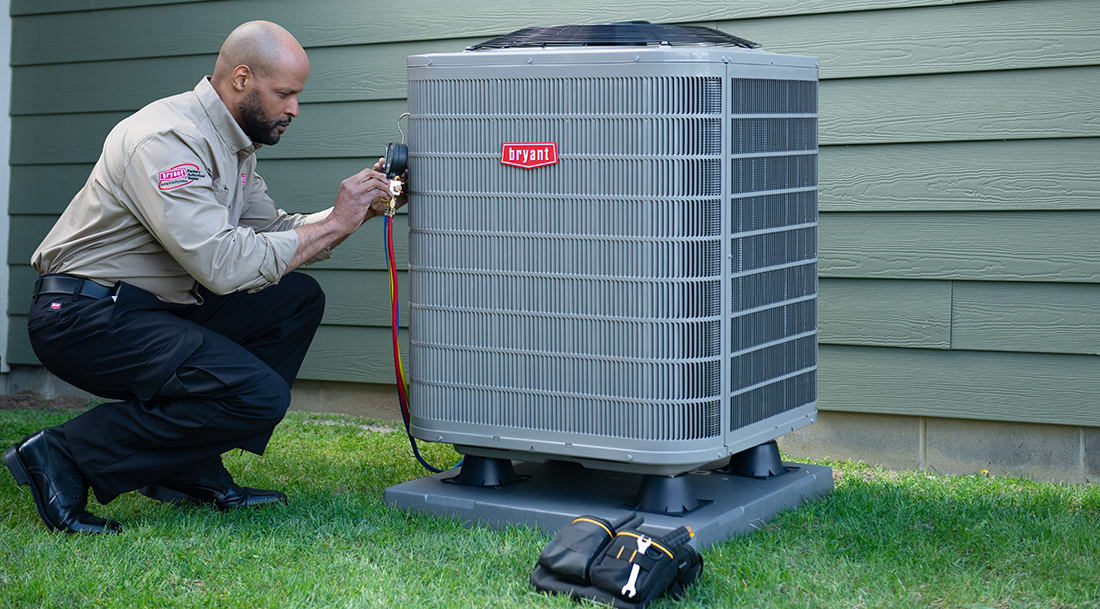
Why Is My AC Not Turning On?
If your AC is not turning on, it is typically experiencing an electrical interruption, a thermostat communication failure, or a safety mechanism lockout. The system is designed to shut down automatically to prevent internal damage or electrical hazards when it detects an issue like restricted airflow or poor drainage.
Joseph Braswell, owner of Guin Service Company in Birmingham, AL says one overlooked reason for an AC unit not turning on is the safety switch in the drain pan.
“If your unit is located in the basement or attic and has a drain pan underneath to collect condensation, it likely includes safety switches in the pan or drain line," Braswell said. "Because HVAC systems remove a significant amount of moisture, sludge can build up in the drain line over time. Those safety switches are designed to shut the unit off before an overflow creates a bigger mess.”
Before assuming your equipment requires a major AC repair, taking a methodical approach to troubleshooting can save you time and money. Here are the essential components to evaluate.
Step-by-Step Troubleshooting for Your Bryant AC
1. Check the Thermostat Settings
The thermostat serves as the command center for your entire HVAC system. If your AC is not turning on, the thermostat is the first place you should check.
Start by verifying that the thermostat is set to "Cool" and that the temperature setting is at least five degrees lower than the current room temperature. Next, check the power source. If your thermostat has a blank display, it may simply need new batteries. Replace them with fresh ones to see if the interface powers back up.
For homeowners utilizing smart home integration, ensure your Wi-Fi thermostat is connected to your network and hasn't lost communication with the main control board. A quick system reboot of the smart thermostat can often resolve minor software glitches, restoring that quiet comfort you rely on.
2. Inspect the Circuit Breaker and Power Supply
Air conditioning systems require a significant amount of electricity, and power surges can easily cause a breaker to trip, cutting power to the unit.
Locate your home’s main electrical panel and search for the breaker labeled "AC" or "HVAC." If the switch has moved to the "Off" or neutral center position, firmly push it all the way to "Off" before snapping it back to the "On" position.
Additionally, check the indoor air handler and the outdoor condenser unit. There is typically a power switch located near the indoor unit that looks like a standard light switch; ensure this is flipped on. Outside, look for the disconnect box mounted on the wall near your Bryant unit. Make sure the disconnect switch is securely in the "On" position.
3. Examine the Air Filter
A severely clogged air filter restricts airflow, which can cause the evaporator coils to freeze and trigger a safety switch that stops the system entirely.
Turn off the power to your system and locate your air filter, which is usually housed in the return air duct or the blower compartment. Slide the filter out and hold it up to a light source. If you cannot see light passing through the material, the filter is clogged and must be replaced.
Replacing your air filter every 30 to 90 days not only prevents unexpected shutdowns but also ensures you breathe cleaner air and maintain an efficiency that pays for itself. Learn more in our dedicated guide on how often to change your air filter. Consistent AC maintenance is a cornerstone of reliable performance.
4. Look at the Drain Pan and Float Switch
Modern Bryant air conditioners are equipped with safety features designed to protect your home from water damage. When the AC cools the air, it produces condensation that drips into a drain pan and flows outside.
If the condensate drain line becomes clogged with algae, dirt, or debris, the drain pan will fill with water. To prevent the pan from overflowing and damaging your ceiling or floors, a safety float switch will activate and shut off the air conditioner.
Check the drain pan located near your indoor air handler. If there is standing water, you will need to clear the blockage in the drain line. Using a wet/dry vacuum to suction out the clog from the exterior drain pipe is often an effective, immediate solution.

When to Call a Bryant Professional
While basic troubleshooting can resolve many minor issues, some problems require the expertise of a certified HVAC technician. You should contact your local Bryant dealer if:
- The circuit breaker trips repeatedly after being reset.
- You hear buzzing, clicking, or grinding noises coming from the outdoor unit.
- The system has frozen over with visible ice on the evaporator coils or refrigerant lines.
- You suspect a refrigerant leak.
Your local Bryant dealer can diagnose complex electrical or mechanical failures with precision. Relying on your local Bryant dealer ensures your system is repaired safely and in accordance with your strong warranty coverage.
AC Not Turning On FAQs
Yes, a blown fuse in the outdoor disconnect box will completely cut power to the condenser, resulting in your AC not turning on. A certified technician should inspect the system to determine what caused the electrical surge before replacing the fuse.
To reset your Bryant AC, turn off the thermostat, then switch off the power to the AC at your main electrical breaker panel. Wait 30 minutes for the internal charge to dissipate, turn the breaker back on, and set the thermostat back to "Cool."
If the indoor fan is running but the AC is not turning on to produce cold air, the issue is likely with the outdoor condenser. This is often caused by a tripped outdoor circuit breaker, a faulty capacitor, or a failing compressor.
Common causes include a tripped breaker, thermostat issues, a clogged air filter, or a faulty capacitor or contactor. It could also be due to low refrigerant or safety switches shutting the system down.
If your AC suddenly stops turning on, it may be a power issue, a malfunctioning thermostat, or a failed component like the compressor or motor. In some cases, the system may shut itself off to prevent damage.
You shouldn’t try to force your AC to run, as this can cause further damage or create safety risks. Instead, check basic issues like thermostat settings and power supply. If it still won’t start, it’s best to call a professional.


