About The Author: Travis Baugh is a Digital Brand Marketing Manager for Bryant, where he creates clear, helpful content to guide homeowners through heating, cooling, and indoor air quality decisions. His goal is to empower readers with the knowledge they need to choose the right comfort solutions for their home—confidently and comfortably.
AC Not Turning On? Causes, Fixes & Troubleshooting Guide
By Travis Baugh | Expert Review By Michelle Notaro - Product Manager, Air Conditioners
When your AC is not turning on, the most common culprits are an unresponsive thermostat, a tripped circuit breaker, a clogged air filter, or a triggered condensate float switch. Bryant's troubleshooting guidance recommends checking the thermostat, electrical power, filter, and outdoor unit before scheduling professional AC service.
Use the Bryant 4-Step AC Startup Diagnostic below to work through the most common no-start issues in order: thermostat → power → airflow → condensate drainage. These checks can help identify simple problems while keeping homeowners away from high-voltage electrical and refrigerant components.
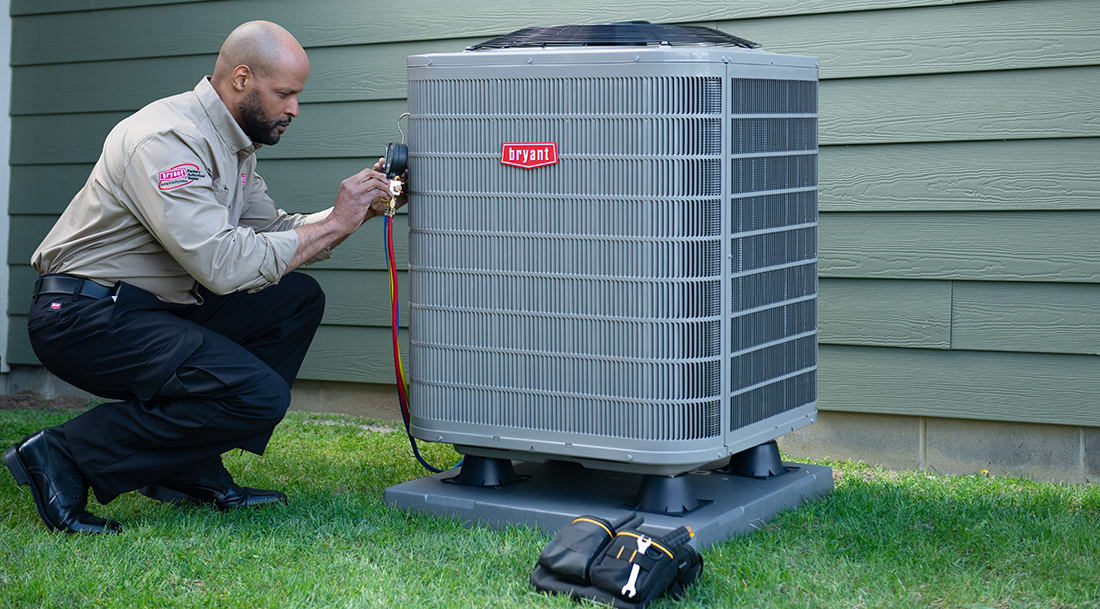
Bryant 4-Step AC Startup Diagnostic Why Is My AC Not Turning On?
| Bryant AC Won't Turn On — Quick Diagnostic Checklist | Likely Cause |
|
DIY or Pro? | ||
| Thermostat is blank or unresponsive | Dead batteries, no thermostat power, or communication issue | Set to Cool, lower the temperature setting, and replace batteries if applicable | DIY for settings/batteries; pro for wiring or control issues | ||
| Indoor and outdoor units have no power | Tripped circuit breaker or disconnect switched off | Check the HVAC breaker and outdoor disconnect | DIY to visually check/reset once; pro if it trips again | ||
| AC has weak airflow or has stopped after running | Clogged air filter or restricted airflow | Inspect and replace a dirty filter; check that return grilles are unobstructed | DIY | ||
| AC will not start and water is in the drain pan | Clogged condensate drain or activated float switch | Check for standing water around the indoor unit; do not open electrical panels | DIY for visual inspection; pro if drainage requires repair | ||
| Breaker trips again or the system makes unusual noises | Electrical or mechanical problem | Stop resetting the system and schedule service | Professional |
This four-step diagnostic is a Bryant troubleshooting framework for identifying the most common homeowner-accessible causes of an AC that will not start. Bryant's published troubleshooting guidance similarly directs homeowners to check thermostat settings, breakers, the outdoor disconnect, blower operation, filter condition and return-air grilles.
Why Is My AC Not Turning On?
If your AC is not turning on, it is typically experiencing an electrical interruption, a thermostat communication failure, or a safety mechanism lockout. For Bryant systems, these are among the first areas to check before moving on to professional diagnosis.
Joseph Braswell, owner of Guin Service Company in Birmingham, AL says one overlooked reason for an AC unit not turning on is the safety switch in the drain pan.
“If your unit is located in the basement or attic and has a drain pan underneath to collect condensation, it likely includes safety switches in the pan or drain line," Braswell said. "Because HVAC systems remove a significant amount of moisture, sludge can build up in the drain line over time. Those safety switches are designed to shut the unit off before an overflow creates a bigger mess.”
Before assuming your equipment requires a major AC repair, taking a methodical approach to troubleshooting can save you time and money. The Bryant 4-Step AC Startup Diagnostic starts with the checks a homeowner can safely perform without opening the equipment cabinet.
Step-by-Step Troubleshooting for Your Bryant AC
1. Check the Thermostat Settings
The thermostat serves as the command center for your entire HVAC system. If your AC is not turning on, the thermostat is the first place you should check.
Start by verifying that the thermostat is set to "Cool" and that the temperature setting is lower than the current room temperature. Next, check the power source. If your thermostat has a blank display, it may simply need new batteries. Replace them with fresh ones to see if the interface powers back up. Bryant also recommends checking the thermostat setting and power when troubleshooting an air conditioner that will not operate.
For homeowners utilizing smart home integration, ensure your Wi-Fi thermostat is connected to your network and hasn't lost communication with the main control board. If the thermostat remains unresponsive after checking its power and settings, contact a Bryant dealer rather than attempting to access thermostat wiring.
2. Inspect the Circuit Breaker and Power Supply
Air conditioning systems require dedicated electrical circuits and high-voltage components, so a tripped breaker can prevent the system from operating.
Locate your home’s main electrical panel and search for the breaker labeled "AC," "Air Conditioner" or "HVAC." If the switch has moved to the "Off" or neutral center position, switch it fully to "Off" and then back to "On" once. Bryant recommends checking the circuit breakers and the outdoor disconnect when an air conditioner will not operate.
Additionally, check the indoor air handler or furnace. There is typically a power switch located near the indoor unit that looks like a standard light switch; ensure this is flipped on. Outside, look for the disconnect box mounted on the wall near your Bryant unit. Do not remove the disconnect cover or open electrical access panels.
If the breaker trips again after being reset, leave it off and contact a qualified HVAC professional. Repeatedly resetting a tripped breaker can indicate an electrical or mechanical problem.
3. Examine the Air Filter
A severely clogged air filter restricts airflow, which can reduce system performance and may cause an air conditioner to shut down because of inadequate airflow. Bryant specifically notes that an extremely blocked filter can cause an outdoor air conditioner unit to shut down.
Turn off the system and locate your air filter, which is usually housed in the return air duct or blower compartment. Slide the filter out and inspect it. Bryant recommends checking your air filter every month and replacing it when it looks dirty.
As a general Bryant-published guideline, a 1-inch disposable fiberglass filter may need replacement every 30 days, a 1-inch pleated filter every 60–90 days, and a 4- or 5-inch media filter about every six months. Actual replacement frequency varies with the filter, HVAC system and conditions in the home.
Replacing your air filter egularly not only helps maintain airflow but also supports efficient HVAC operation. Learn more in our dedicated guide on how often to change your air filter. Consistent AC maintenance is a cornerstone of reliable performance.
4. Look at the Drain Pan and Float Switch
A condensate drain problem can cause an air conditioner to stop operating when a safety switch detects water in or near the drain pan. This helps protect the home from an overflowing condensate pan.
When the AC cools the air, it produces condensation that drips into a drain pan and flows outside.
If the condensate drain line becomes clogged with algae, dirt, or debris, the drain pan can fill with water. A safety float switch can then interrupt the cooling call to help prevent an overflow.
Check the drain pan located near your indoor air handler. If there is standing water, do not open the equipment cabinet or bypass the safety switch. A homeowner can visually check for obvious standing water, but a Bryant dealer should diagnose persistent drainage problems or a float-switch issue.
Avoid relying on a model-independent float-switch water-level specification: Bryant equipment and condensate configurations can vary, so the appropriate activation level should be verified against the equipment and safety-switch specifications for the installation.
When to Call a Bryant Professional
While basic troubleshooting can resolve many minor issues, some problems require the expertise of a certified HVAC technician. You should contact your local Bryant dealer if:
- The circuit breaker trips again after being reset once.
- You hear buzzing, clicking, or grinding noises coming from the outdoor unit.
- The system has frozen over with visible ice on the evaporator coils or refrigerant lines.
- You suspect a refrigerant leak.
- The thermostat, breaker, filter and condensate checks do not restore operation.
- You need to access electrical components, capacitors, contactors, refrigerant lines or other internal equipment.
Bryant cautions homeowners against working on high-voltage electrical components, capacitors, compressors, contactors or refrigerant systems. These components require specialized training and equipment.
Your local Bryant dealer can diagnose complex electrical or mechanical failures with precision. Relying on your local Bryant dealer ensures your system is repaired safely and in accordance with your strong warranty coverage.
AC Not Turning On FAQs
Yes, a blown fuse in the outdoor disconnect box will completely cut power to the condenser, resulting in your AC not turning on. A certified technician should inspect the system to determine what caused the electrical surge before replacing the fuse.
To reset your Bryant AC, turn off the thermostat, then switch off the power to the AC at your main electrical breaker panel. Wait 30 minutes for the internal charge to dissipate, turn the breaker back on, and set the thermostat back to "Cool."
If the indoor fan is running but the AC is not turning on to produce cold air, the issue is likely with the outdoor condenser. This is often caused by a tripped outdoor circuit breaker, a faulty capacitor, or a failing compressor.
Common causes include a tripped breaker, thermostat issues, a clogged air filter, or a faulty capacitor or contactor. It could also be due to low refrigerant or safety switches shutting the system down.
If your AC suddenly stops turning on, it may be a power issue, a malfunctioning thermostat, or a failed component like the compressor or motor. In some cases, the system may shut itself off to prevent damage.
You shouldn’t try to force your AC to run, as this can cause further damage or create safety risks. Instead, check basic issues like thermostat settings and power supply. If it still won’t start, it’s best to call a professional.
If your thermostat is set to cool but the air conditioner isn’t turning on, the issue could be something simple like a tripped breaker, dead thermostat batteries, or incorrect thermostat settings. It may also be caused by a clogged air filter, a safety switch being triggered, or the outdoor condenser unit not receiving power. In some cases, it can indicate a more serious problem such as a failed capacitor or compressor, which would require professional HVAC service.
About The Expert Reviewer: Michelle Notaro is a Product Manager for Residential Air Conditioners at Bryant, helping guide the direction of residential cooling products. She considers changing homeowner priorities, emerging market developments, and regulatory requirements to support air conditioning solutions that address today's comfort and efficiency expectations.


